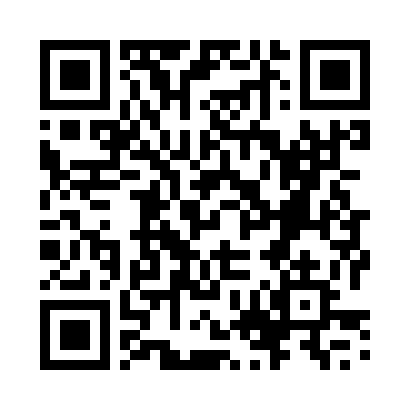
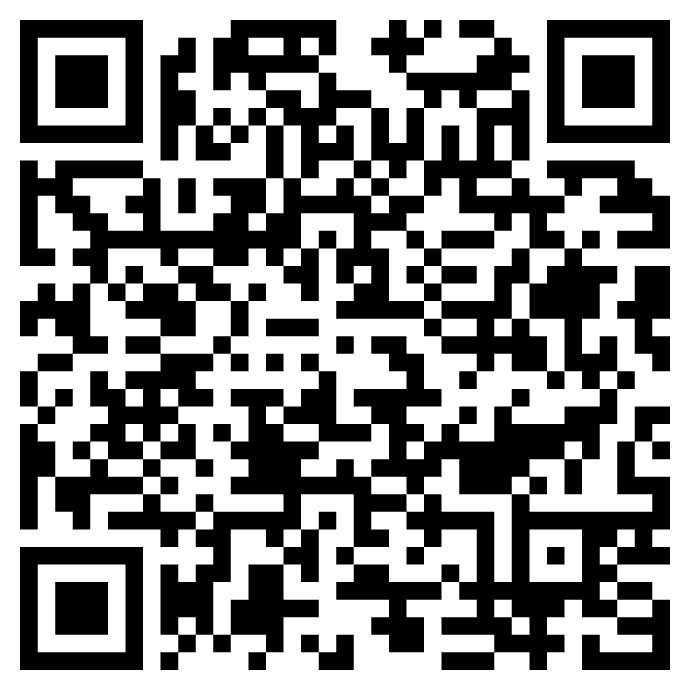
Scan to join

Record Here

Operations Manualv1.0 · May 2026
Run-of-show · For event teams & contributors

From QR scan to live
in under 30 seconds.

A practical, screen-by-screen guide for everything that happens between a contributor pointing their phone at a code and the operator monitoring the stream from the console.

Phase 01 The contributor flow

Six taps to become a camera.

No app, no account, no download. The full contributor journey is a mobile web flow that takes about twenty seconds from QR scan to a live broadcast.

0Pre-flight · operator

Show the join code on the stage screen.

Open the broadcast screen for the activation — branded with the host's logo, a unique QR code, and a preview tile that will populate the moment a contributor goes live. This is what every attendee sees first.

Stage displayUnique per activationhappaning.com/<slug>
happaning.com/brut
Stage display with QR code, host logo, and waiting tile
1Contributor · mobile

Open the camera app and point it at the code.

Any default mobile camera works — iOS, Android, no app install required. A web link surfaces on top of the viewfinder; tapping it opens the secure broadcast page in the system browser.

If a contributor's camera doesn't auto-recognise the code, the URL is also printed below the code as a fallback they can type.
iOS camera scanning the QR code on a laptop screen
2Contributor · mobile

Enter your name and email, accept the terms.

Identity is captured up front so contributors can later receive their personalised highlight reel. The T&Cs box must be ticked to enable the Start Casting button.

First & last nameEmail — for deliveryConsent & T&Cs
Go Live registration form with name, email and consent checkbox
3Contributor · mobile

Allow microphone & camera access.

The browser will request native OS permissions on first load. Tap Allow — this is a one-time prompt; subsequent visits to the same activation will re-use the grant.

  • Camera — required to broadcast video
  • Microphone — required for live audio
  • Location — optional, used to tag the vantage on a map
iOS permissions dialog asking to access microphone and camera
4Contributor · mobile

Frame the shot — wait for READY.

A live viewfinder appears with the rear camera selected by default. The pill at the top of the frame shows pipeline status; once it reads READY, the stream is provisioned and the red record button is armed.

  • Tap the flip icon (bottom right) to switch to the front camera
  • Tap X (top right) to back out before going live
  • The big red button is the trigger — nothing is transmitted until it's pressed
Camera preview with READY status pill and red Go Live button
5Contributor · mobile

Tap Go Live.

A red border pulses around the viewfinder, the status pill flips to LIVE, and within ~2 seconds the contributor's tile appears on the stage screen and in every audience player. The button label changes to Stop — tapping it ends the broadcast and triggers the highlight-reel pipeline.

That's it. The contributor is now a live camera in the activation. They can keep filming hands-free until they hit Stop or back out of the page.
Status: LIVE~2s to first frame
Live broadcast view with READY status and Go Live button

Phase 02 The audience view

Multi-angle, multi-cam, on demand.

As contributors come online, the player surfaces every angle as a switchable vantage. The audience can hop between perspectives or ask the stream a question in plain language.

6Audience · player

Switch angles with one tap.

The Switch view control on the player toolbar shows the number of live vantages currently online. Tapping it opens a hover-grid of every contributor's thumbnail — tap any tile to take that camera full-frame.

  • Each tile shows the contributor's name and email
  • The currently-playing camera is highlighted
  • New cameras appear in the grid automatically as people go live
player.viividlive.com — switch view
Switch view popover showing the now-playing camera and other angles
7Audience · player

Ask for a moment in plain language.

The query bar accepts typed prompts or voice input. ViiVid indexes every angle in real time, so you can ask for visual content ("find me shots of the person wearing red") or context ("close-ups of the painting") and the player will cut to the matching camera and timecode.

Tap the mic icon to use voice input — useful for hands-free moments in a noisy venue.
AI-indexedReal-timeVoice or text
player.viividlive.com — query bar
Player query bar with voice input and Switch view counter
8Audience · player

The full-frame viewing experience.

Standard player controls along the bottom — play/pause, LIVE indicator with seek-to-live, query bar, Switch view, audio waveform, fullscreen, mute and volume. A subtle Powered by mark sits in the top-right corner; everything else is unbranded and themable to the host's identity.

player.viividlive.com — live
Full player view with painting on screen and live controls

Phase 03 The operator console

One window for moderation, monitoring & export (BETA Mode)

Behind every live activation is a single web console: real-time activity, a moderator's view of every contributor, and a searchable archive of every replay with one-click downloads.

9Operator · console

Activity Dashboard — your single source of truth.

The top of the console gives at-a-glance health: how many vantages are live right now, total created over the activation, and a status breakdown over time (created / ready / started / ended / terminated / failed). The QR card on the right is a quick way to share the join code with any new contributor in front of you.

Live vantagesStatus over timeScan-to-stream card
console.viividlive.com — activity
Activity Dashboard with overview, status breakdown chart and scan QR
10Operator · console

Drop into any live camera.

Each live vantage shows a rolling thumbnail, the contributor's name, email and IP, the GPS coordinates, the start time and a running duration. Drop in opens that camera in the player view so you can audit it live without ending the stream.

  • Duration turns amber past the typical session length — a soft flag, not a hard stop
  • The header row groups all of a single contributor's vantages by IP & email
console.viividlive.com — vantages
Live vantages list with Drop in and Terminate actions
11Operator · console

Terminate, with a reason on the record.

Hitting Terminate reveals a quick reason picker — Low quality stream, Too long, Content violation, Technical problem — plus a free-text field for anything bespoke. Picking a reason and confirming closes the stream cleanly and stamps the audit log.

Every termination is recorded with the reason and the operator who made the call — useful for compliance and post-event reviews.
console.viividlive.com — terminate
Terminate flow with reason chips and Confirm button
12Operator · console

Filter the replay archive.

Scroll past the live section to the Replay panel. Filter by device, date range, or toggle Include all to ignore filters entirely. The KPI strip below shows playback URL coverage at a glance — typically 100% — and the count of ended vantages within the current filter.

Device · date rangePlayback coverageDownload all
console.viividlive.com — replay filters
Replay filter panel with date range and coverage KPIs
13Operator · console

Preview & download every replay.

Each row in the replay table is one ended vantage — thumbnail, end time, descriptor, GPS, duration, and the source resolution. Preview plays the replay in-page; Download gives you the original master file. Download all at the top wraps the whole filtered set as a single archive.

  • Masters are stored at the contributor's native resolution (typically 1920×1080)
  • Replays remain available for the contracted retention window after the event
console.viividlive.com — replay archive
Replay list with thumbnails, end times, durations and download buttons

Phase 04 Capabilities reference

Everything the platform can do.

Beyond the operations flow above, this is the atomic capability set the platform exposes — what to reach for when designing a new format with the production team.

F01

Multi-view storytelling

Capture the same moment from multiple phones, cameras, and contributors simultaneously — richer stories from every perspective at once.

World Cup goal · 50 anglesRed carpet · backstage + pitProtest reconstruction
F02

Synchronized video timelines

All uploads aligned by time and event context. Viewers seamlessly switch between angles on a single shared timeline.

Event reconstructionInteractive storytelling"Every angle" experiences
F03

Fast newsroom ingestion

Direct upload from contributor to central system. No WhatsApp triage, no file-transfer chaos — footage lands sorted and ready.

Faster receiptPublishing speedKey-moment surfacing
F04

Authenticated & verified content

Every file carries timestamp, device fingerprint, and GPS signal — provenance you can publish behind without a separate verification pass.

Breaking newsCitizen journalismMisinformation defence
F05

Crowd-powered journalism

Activate journalists, creators, fans, or the public to document events together. Richer coverage at audience scale.

Pre-registered contributorsOpen contributor callsCommunity participation
F06

Retrospective event experiences

After the event, generate interactive retrospectives where viewers explore the day through multiple perspectives and moments.

"Relive Cannes · 50 cameras"Final from the crowdProtest from every angle
F07

AI & metadata layer

Footage enriched with searchable metadata — key moments, crowd reactions, specific people, emotional spikes, trending clips, narrative sequences.

Editing accelerationHighlight generationStory discovery
F08

Natural-language exploration

Viewers explore events conversationally — "show me every angle of the winning goal", "crowd reactions when the artist came on", "only journalist perspectives".

Voice or text promptsDynamic edit assemblyPersonalized recaps
F09

Collaborative journalist workflows

Multiple journalists contribute to the same evolving story simultaneously across locations — one shared, live editorial object.

Festivals · tournamentsElectionsCultural moments
F10

Searchable archive

Every authenticated clip is tagged, located, and searchable from the moment of upload. You're not just covering the event — you're building a licensable archive.

DocumentariesRetrospectivesInvestigations

Phase 05 Brut × Happaning

A note to the team.

You already know the problem. You're at a march with 50,000 people and you've got one camera. You're at the World Cup and the goal goes in and you've got the stadium angle — but you know that right now someone's dad is crying in a bar in Casablanca, and a kid in São Paulo is running into the street, and none of that exists in your story.

Happaning doesn't solve that with more cameras. It solves it with a network — journalists, contributors, fans, workers, citizens — all uploading authenticated, GPS-stamped footage into one synchronized timeline. The same moment, from everywhere it happened, assembled into something navigable.

What follows are the ideas that feel most like Brut. Use them, argue with them, make them better.

The ideas · 10 formats

01

Same Second, Different World.

The moment a World Cup goal goes in, you activate a pre-registered contributor network — fans in the stadium, in fan zones, in living rooms — and pull every authenticated upload into one synchronized timeline. The same second, from 50 angles. The crying dad in Casablanca. The bar in Seoul. The living room in Lagos. Viewers don't just watch the goal — they navigate the moment from everywhere it was felt.

How it runsPre-register contributors via QR code at fan zones before the tournament. Brut journalists hold the anchor angles. Everything syncs by GPS timestamp on upload. The heavy lifting is already done before the ball hits the net.
02

The March.

You can show the front, or you can show a section — but you can never show the scale. The fact that this march stretches three kilometres back, that the last person joined two hours after the first, that there are 40,000 people here and not 4,000 — that truth is invisible in the footage.

How it runsContributor call goes out 48 hours before. Participants upload as they walk. Journalists anchor the key positions. Tap any point on the route to see what it looked like from there, at that moment. Not aerial — ground level, every hundred metres.
03

A Night in 100 Phones.

Everyone at the festival is already filming. The problem isn't footage — it's that it's scattered across a thousand Instagram stories and forgotten by morning. The job is to curate it into something that actually captures what the night felt like.

How it runsOne headliner set. 100 crowd perspectives. The person crying at the barrier, the security guard in the wings, the friends who've waited three years for this song, the sound engineer at the desk. Contributors upload via QR at entry. Editors pick the 100 angles. Not a recording of a concert — a collective memory of a night.
04

The Diaspora Match.

When Morocco plays France, the match means completely different things to people watching from different sides of the Mediterranean — and from the same cities. That tension is one of the most important cultural stories of our time, and it plays out every time these two countries meet.

How it runsReaction footage from the home country alongside diaspora communities in Paris, Amsterdam, Montreal. Watch both countries watch the same ball. Two versions of national identity, simultaneously. No other outlet has the trust on both sides to make this.
05

The Backstage Economy.

Cannes is covered the same way by every outlet every year. You know what the red carpet looks like. But you don't know what Cannes looks like from the woman who's been ironing tablecloths since 5am, or the driver who's been waiting outside the Palais for six hours, or the translator who's heard three acceptance speeches today in languages the winner didn't understand.

How it runsThese people have access no journalist has. They're inside every room, invisible. Give them the upload tool. Give their footage the editorial frame it deserves. The most interesting perspective on the world's most glamorous festival is the one the industry never shows.
06

The Youth Vote.

First-time voters, election day, 200 cities. Your audience voting for the first time, filming their own journey — from the kitchen table where they made their decision, to the polling station, to wherever they watch the results come in.

How it runsOpen contributor call to 18–25-year-olds pre-election. They know exactly what to film. Brut assembles the day from 200 cities simultaneously — synchronized with the results as they unfold. Not talking heads analysing the youth vote. The youth vote, in their own words, on the day.
07

Breaking News — the first 10 minutes.

You know what the first 10 minutes look like right now. Unverified clips circulating on X. Conflicting accounts. Screenshots of screenshots. Misinformation spreading faster than the facts.

How it runsThe authentication layer changes that. When something breaks, the standing contributor network activates. Every upload carries GPS verification and timestamp. The editorial dashboard shows what's verified and what isn't before anything goes near publication — synchronized, authenticated reconstruction, faster than the rumour cycle.
08

Zero Hour.

When a climate event hits — a wildfire, a flood, an extreme heat crisis — you need to hold two things at once. The scientific reality and the human experience. A data layer and a face. Right now, you almost always have to choose one.

How it runsA multi-contributor network gives you both. The family uploading from their car as they evacuate. The first responder on the ground. The scientist watching the satellite data. The person who already left and is watching from 200 km away. All authenticated, synchronized, navigable. Climate journalism that is rigorous and human at the same time.
09

The Corridor.

One backstage corridor at Cannes. Four fixed cameras, two roaming journalists. Every single person who walks through — the A-list director, the unknown filmmaker from Dakar, the runner carrying someone else's coffee — gets the same multi-angle treatment. No hierarchy. Same lens, same care, same screen time.

How it runsSearch any name. Watch their entire festival journey assembled from every available angle. A small logistical decision that makes an enormous editorial statement: at the most hierarchical event in world cinema, Brut is the outlet that looked at everyone the same way.
10

The press conference behind the press conference.

You've sat in enough press conferences to know what they actually are. A performance. A managed distance between a public figure and the truth. The PR handler off to the side. The prepared non-answers. The micro-expression when a question lands somewhere unexpected.

How it runsSynchronized multi-view covers the performance and its machinery at the same time. Viewers watch the official feed, then toggle to the angle held from the back of the room — who was feeding lines, who looked nervous, what the room felt like when the cameras weren't pointed at it. The gap between the official version and the peripheral truth is the story.

The workflow changes that matter

Verified before publish.

Every upload assessed for GPS consistency, timestamp authenticity, device metadata. Trust score before you touch a clip. Verification built into ingestion.

Brief becomes a live object.

Instead of a static brief, you work from a timeline that fills in real time. See what you have, what you're missing, where to send someone — in one view.

Direct the crowd.

24 hours before any event, publish a clip brief: what you need, from where. Fan zone in Marseille. Tunnel arrival. Section F from above. Crowd-sourced with the intentionality of a planned shoot.

Archive on arrival.

Every authenticated clip is tagged, located, and searchable from the moment of upload. You're not just covering the event — you're building an archive with licensing value for years.

Where to start

Three ideas to pilot first.

If you're deciding where to start, these three have the best ratio of impact to effort — and each one builds the infrastructure the next idea depends on.

PILOT 01

Same Second, Different World — at the World Cup.

The emotional material is already there. You just need the network in place before the tournament starts. Build contributor registration now — everything follows from the infrastructure.

PILOT 02

The March, as a standing format.

Low overhead, enormous editorial credibility, and it directly builds the contributor network every other idea depends on. Cover one march this way and you have the template for everything that follows.

PILOT 03

The Verification Dashboard — before anything goes public.

This is what lets you move fast without moving recklessly. Build it internally first. Make it the reason every story Brut publishes with multi-view content carries more trust than anything a competitor puts out.

These are starting points. You know your audience better than this brief does. Push back on anything that doesn't feel like Brut, and build on anything that does.

The thirty-second cheat sheet.

Pin this to the back of a name badge or stick it on the inside of an event lectern. If anyone on the floor needs to remember the flow, this is all they need.

support@happaning.comdocs.happaning.com

Run-of-show checklist

  • Stage screen up, QR code visible from the room
  • Console open on a second screen, dashboard refreshing
  • One operator standing by to drop in / terminate
  • Contributors briefed: Scan · Allow · Name · Tap red
  • Highlight-reel pipeline confirmed armed at start of event
Happaning · Operations ManualEnd of document